Nutanix Volume Groups for Business-Critical Oracle RAC Workloads


Business Critical Oracle Workloads have stringent IO requirements and enabling, sustaining, and ensuring the highest possible performance along with continued application availability is a major goal for all mission critical Oracle applications to meet the demanding business SLAs.

This blog is an attempt to investigate Nutanix Volume Groups (VG), understand how it is fundamentally different & inherently simple when compared to VMware virtual disk (vmdk) sharing with multi-writer attribute between VM’s for Guest Clustering Applications e.g. Oracle Real Applications Clusters etc. and how Nutanix Volume Groups (VG) overcomes all the challenges that currently plagues VMware virtual disk sharing with multi-writer attribute that has been well documented in KB 1034165 for VMFS and KB 2121191 for vSAN.


Disclaimer – This is not an official Nutanix blog – just my private investigation in my lab environment, to get a better understanding how Nutanix platform works under the covers, having worked in the VMware space for 12+ years as the Global Oracle Practice Lead and in the Nutanix space as an Sr OEM System Engineer for the past couple months.


Continue reading

Posted in Oracle | Comments Off on Nutanix Volume Groups for Business-Critical Oracle RAC Workloads

End to End (E2E) 4kn support for Oracle workloads on VMware vSphere 9.0

End to End (E2E) 4kn support with VMware vSphere 9.0 – What does that mean for Oracle Workloads


VMware finally released End to End (E2E) 4kn support for VM vmdk’s with the VMware vSphere 9.0 release , announced June 19, 2025.

Business Critical Oracle databases would extremely benefit from using 4k redo blocksize to drive IO intensive workloads as opposed to using 512byte redo blocksize for all the obvious reasons , yes , it comes at the cost of redo wastage but there are pros and cons to everything.

The previous blog Oracle Workloads and Redo Log Blocksize – 512 bytes or 4k blocksize for redo log addressed the advantages of using Oracle Redo Log with 4k blocksize (default is 512 bytes with blocksize choices  512bytes, 1k and 4k) on VMware platforms and current challenges associated with that with roadmap guidance. The testing was done using 512e RDM’s to prove the theory.

This blog attempts to demonstrates the advantages of using Oracle Redo Log with 4k blocksize on vmdk’s using VMware vSphere 9.0 platform.


Continue reading

Posted in Oracle | Comments Off on End to End (E2E) 4kn support for Oracle workloads on VMware vSphere 9.0

Nutanix vDisks, Volume Groups (VG) and SCSI Controllers for Business-Critical Oracle Workloads

Business Critical Oracle Workloads have stringent IO requirements and enabling, sustaining, and ensuring the highest possible performance along with continued application availability is a major goal for all mission critical Oracle applications to meet the demanding business SLAs.

This blog is an attempt to investigate the relationship between Nutanix vDisks, Volume Groups (VG) & SCSI Controllers and how is fundamentally different when compared to VMware vmdk’s & PVSCSI Controllers.


Disclaimer – This is not an official Nutanix blog – just my private investigation in my lab environment, to get a better understanding how Nutanix platform works under the covers, having worked in the VMware space for 12+ years as the Global Oracle Practice Lead and in the Nutanix space as an Sr OEM System Engineer for the past couple months.


Continue reading

Posted in Oracle | Comments Off on Nutanix vDisks, Volume Groups (VG) and SCSI Controllers for Business-Critical Oracle Workloads

Nutanix Platform for Business Critical Oracle Workloads – An Investigation


Scratching my proverbial technical itch  – That’s what led me to poke under the Nutanix platform covers to see how Nutanix platform is different than VMware vSphere from a Storage perspective.

Business Critical Oracle Workloads have stringent IO requirements and enabling, sustaining, and ensuring the highest possible performance along with continued application availability is a major goal for all mission critical Oracle applications to meet the demanding business SLAs.

This blog is an attempt to investigate my lab setup of Nutanix AHV/CVM & understand how storage is presented to & consumed by Oracle workload VM’s and why features like Data Locality, iSCSI redirects on CVM failure, PCI Pass through to CVM etc. are critical to Business Critical Oracle Workloads.

Disclaimer – This is not an official Nutanix blog – just my private investigation in my lab environment, to get a better understanding how Nutanix platform works under the covers, having worked in the VMware space for 12+ years as the Global Oracle Practice Lead and now currently working for Nutanix as an Sr OEM System Engineer.


Continue reading

Posted in Oracle | Comments Off on Nutanix Platform for Business Critical Oracle Workloads – An Investigation

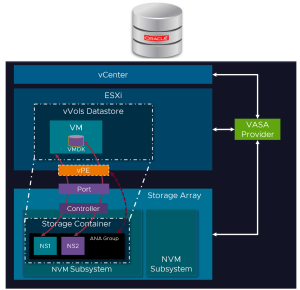
VMware NVMeoF Virtual Volumes (vVols) on Pure Storage Flash Array for Oracle Workloads – NVMeoF vVol v/s SCSI vVol


Business Critical Oracle Workloads have stringent IO requirements and enabling, sustaining, and ensuring the highest possible performance along with continued application availability is a major goal for all mission critical Oracle applications to meet the demanding business SLAs on VMware Cloud Foundations (VCF).

VMware Virtual Volumes (vVols) has been the primary focus of VMware storage engineering for the last few releases, and with vSphere 8.0, it is no different. 

The biggest announcement in vSphere 8.0 core storage is adding vVols support in NVMeoF.

The reason for adding vVols support to NVMeoF is many of the array vendors, and the industry, are moving towards using or at least adding NVMeoF support for better performance and throughput. Subsequently, VMware is making sure vVols remains current with the latest storage technologies.


Continue reading

Posted in Oracle | Comments Off on VMware NVMeoF Virtual Volumes (vVols) on Pure Storage Flash Array for Oracle Workloads – NVMeoF vVol v/s SCSI vVol

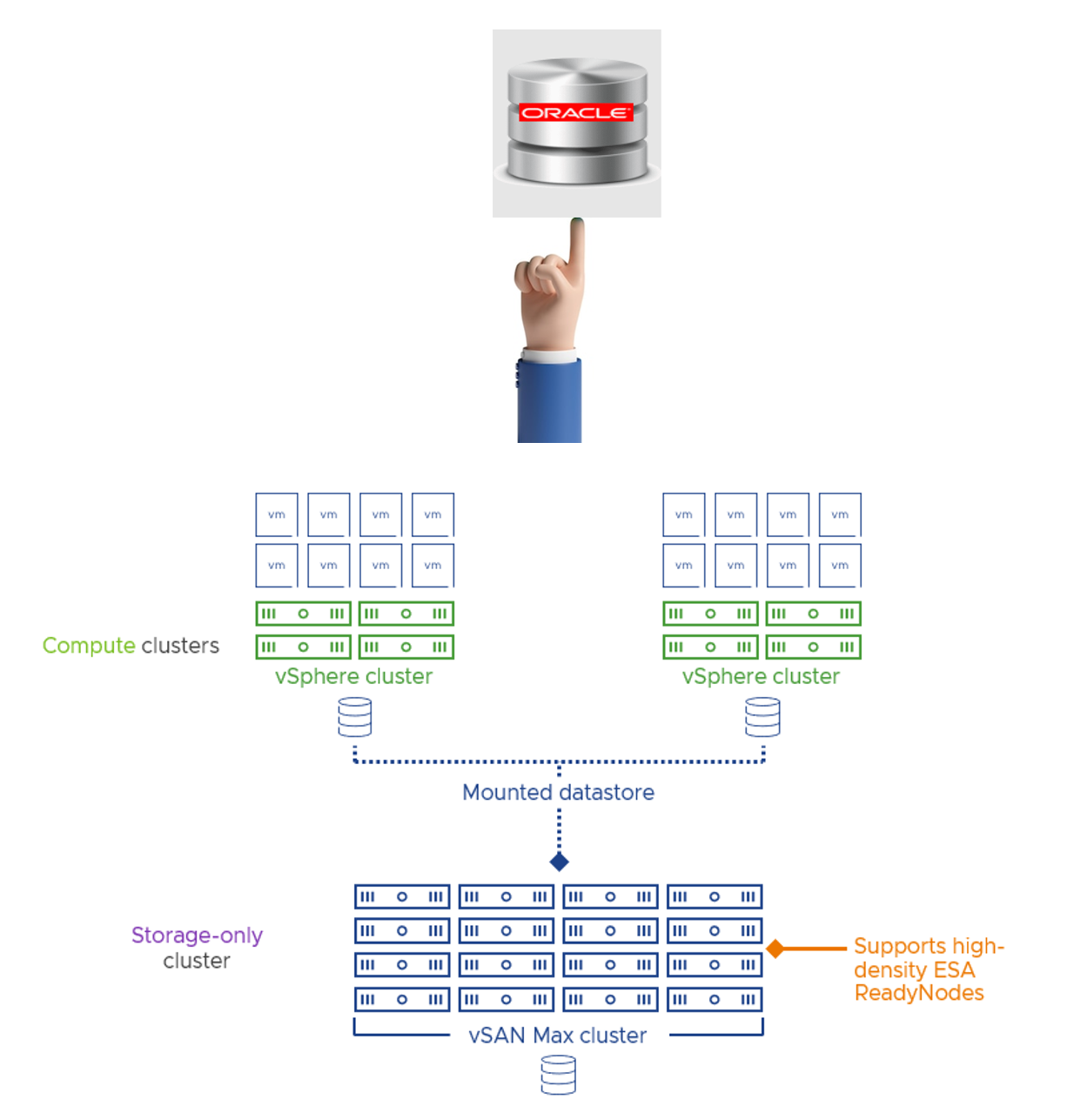
Announcing VMware vSAN Max Storage for Business-Critical Oracle Workloads

Storage is one of the most important aspect of any IO intensive workloads, Oracle workloads typically fit this bill and we all know how a Tier2 Storage often leads to database performance issues, irrespective of any architecture where the database is hosted on.

Enabling, sustaining, and ensuring the highest possible performance along with continued application availability is a major goal for all mission critical Oracle applications to meet the demanding business SLA’s which can be easily achieved on vSAN Max Storage offering for Business-Critical workloads.


Continue reading

Posted in Oracle | Comments Off on Announcing VMware vSAN Max Storage for Business-Critical Oracle Workloads

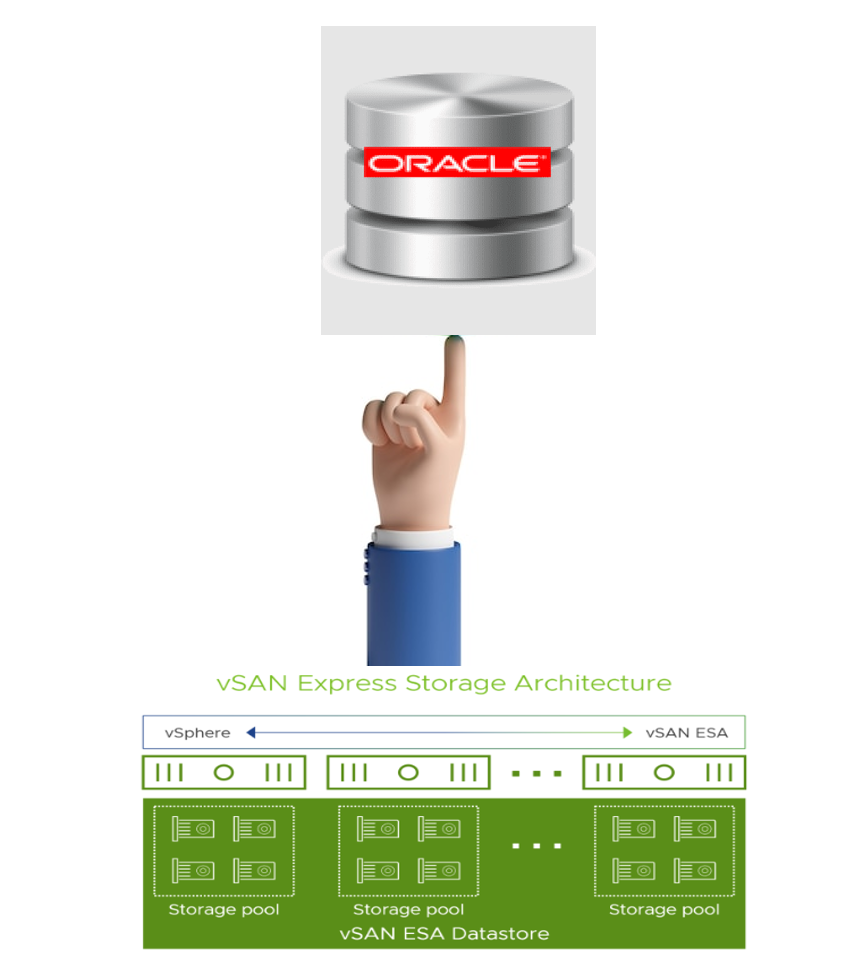
VMware vSAN 8 Express Storage Architecture (ESA) for Oracle Workloads – Performance

I need more and more and …….!!!  – The ever-growing demand of Business-Critical workloads especially Oracle workloads where CPU, Memory & IO intensive operations drives critical business transactions to achieve business SLA’ and targets in a timely fashion.

Enabling, sustaining, and ensuring the highest possible performance along with continued application availability is a major goal for all mission critical Oracle applications to meet the demanding business SLA’s which can be easily achieved on vSAN 8 vSAN Express Storage Architecture (ESA).


Continue reading

Posted in Oracle | Comments Off on VMware vSAN 8 Express Storage Architecture (ESA) for Oracle Workloads – Performance

RDM v/s VMDK – VMware Virtual Volumes to the rescue

An oft debated topic – whether to use RDM’s or vmdk’s for Oracle workloads – The Battle ranges on ( theme captured in one of classic rock band Deep Purple 90’s releases ).


This topic of discussion comes up in customer & partner conversations who are have increasing large Oracle workload footprint and who are struggling with the various limitations of RDM’s.

Business Critical Oracle Workloads have stringent IO requirements and enabling, sustaining, and ensuring the highest possible performance along with continued application availability is a major goal for all mission critical Oracle applications to meet the demanding business SLA’s, all the way from on-premises to VMware Hybrid Clouds

Business-critical databases is also among the last workloads to be virtualized primarily because of the challenges posed as workloads grow and scale especially with Day 2 operations.

Meeting strict business SLAs for performance, managing rapidly growing production databases, and simultaneously reducing backup windows and their impact on system performance often force DBAs to delay virtualization of business-critical databases and workloads. Frequent demands for database cloning and refreshing further complicate matters.

Making the appropriate choice of storage for the Oracle workloads, based on existing infrastructure, operational efficiencies, skill sets etc, will ensure that these operations are streamlined, efficient and repeatable thus freeing up much needed DBA & Infrastructure team cycles to be able to focus on other important tasks.


Key points to take away from this blog


This blog is a high-level discussion of pros and cons of using RDM over VMDK’s and how VMware Virtual Volumes (vVols) helps solves all those issues.

 Making the appropriate choice of storage for the Oracle workloads, based on existing infrastructure, operational efficiencies, skill sets etc, will ensure that these operations are streamlined, efficient and repeatable thus freeing up much needed DBA & Infrastructure team cycles to be able to focus on other important tasks.


VMware Raw Device Mapping (RDM)


Raw device mapping (RDM) provides a mechanism for a virtual machine to have direct access to a LUN on the physical storage subsystem.

An RDM is a mapping file in a separate VMFS volume that acts as a proxy for a raw physical storage device. With the RDM, a virtual machine can access and use the storage device directly. The RDM contains metadata for managing and redirecting disk access to the physical device.

You can use RDMs in virtual compatibility or physical compatibility modes. Virtual mode specifies full virtualization of the mapped device. Physical mode specifies minimal SCSI virtualization of the mapped device, allowing the greatest flexibility for SAN management software.

More on VMware RDM’s can be found here.


VMware VMFS and vmdk’s


 To store virtual disks, ESXi uses datastores. The datastores are logical containers that hide specifics of physical storage from virtual machines and provide a uniform model for storing the virtual machine files.

The datastores that you deploy on block storage devices use the native vSphere Virtual Machine File System (VMFS) format. It is a special high-performance file system format that is optimized for storing virtual machines.

More on VMware VMFS datastores can be found here.


VMware Virtual Volumes (vVols)


VMware vSphere Virtual Volumes, also known as vVols, virtualizes storage devices by abstracting physical hardware resources into logical pools of capacity. The Virtual Volumes functionality changes the storage management paradigm from managing space inside datastores to managing abstract storage objects handled by storage arrays. With Virtual Volumes, an individual virtual machine, not the datastore, becomes a unit of storage management, while storage hardware gains complete control over virtual disk content, layout, and management.

Virtual Volumes maps virtual disks and their derivatives, clones, snapshots, and replicas, directly to objects, called virtual volumes, on a storage system. This mapping allows vSphere to offload intensive storage operations such as snapshot, cloning, and replication to the storage system.

VMware Virtual Volumes are a well-orchestrated system of RDM’s without the management overhead of RDM’s (Physical SCSI LUN limit per ESXi server) but with all the capabilities and features provided by vmdk’s

More on VMware Virtual Volumes (Vols) can be found here.


RDM v/s VMDK – Performance Concerns


This has been an oft debated topic – whether to use RDM’s or vmdk’s for Oracle workloads.

Let’s start with addressing the biggest elephant in the room – Performance.



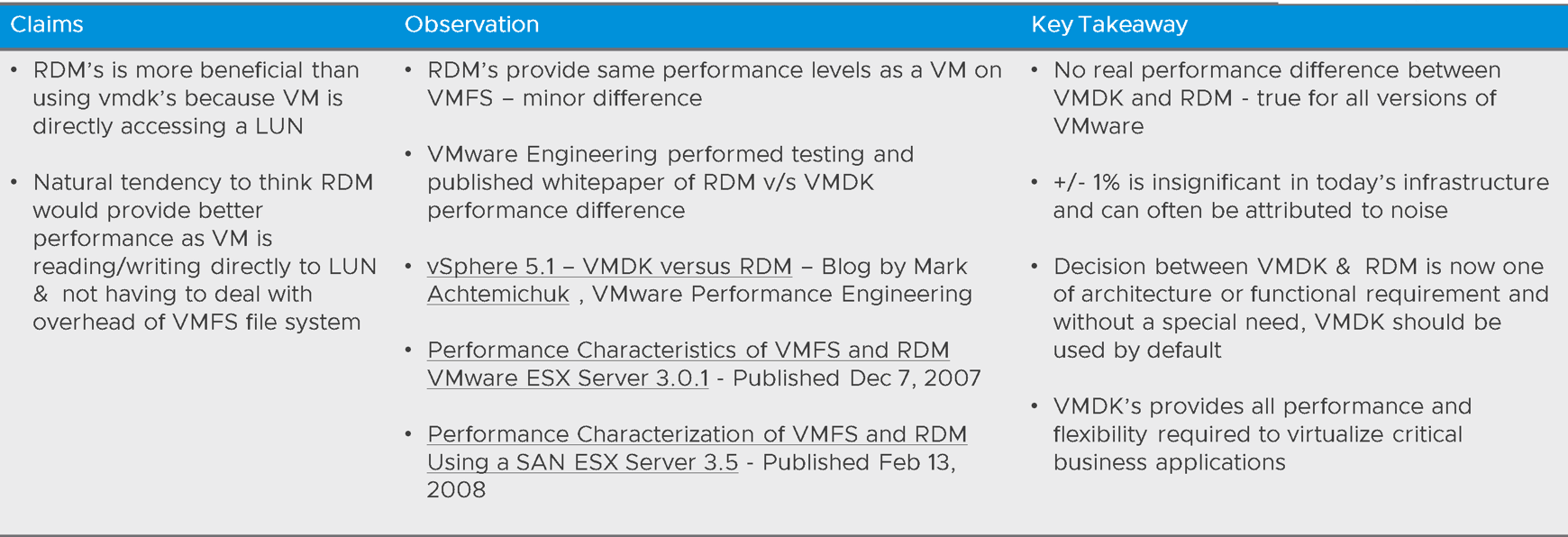
Oracle DBA’s often state that using RDM’s is more beneficial than using vmdk’s because

  • a VM is directly accessing a LUN
  • there is a natural tendency to think that a RDM would provide better performance as a VM is reading/writing directly to a LUN and not having to deal with the overhead of the VMFS file system

While you might think that it’s not the case, RDM’s provide the same performance levels as a VM on VMFS does, the difference is minor.


VMware Engineering performed testing and published whitepaper of RDM v/s VMDK performance difference.


This discussion can be summarized in the table below –


Hang on !!!! OLD INFORMATION – Show me something new !!! 


Explanation – Yes, we realize the link above are old and for ESX 3.x / 5.x but we have a reason for doing so – we have ALREADY proved in ESX 3.x / 5.x that “really no performance difference between VMDK and RDM and this holds true for all versions of our platform.  +/- 1% is insignificant” – that means we don’t have to prove that in every release of VMware vSphere platform.  

Despite the above , the discussion of RDM v/s VMDK comes up and hence this blog – QED. 


The key takeaway from all the above publications is:

  • There is really no performance difference between VMDK and RDM and this holds true for all versions of our platform.  +/- 1% is insignificant in today’s infrastructure and can often be attributed to noise.
  • The decision between VMDK and RDM is now one of architecture or functional requirement and without a special need, VMDK should be used by default.
  • VMDK’s provides all the performance and flexibility you require to virtualize your most critical business applications.


RDM use cases


When we talk about RDM’s, there still are some use cases where long before, we thought it made sense to use RDM’s over vmdk’s but that may not hold true now with the latest advancements of VMware vSphere platform and release of new features:

This discussion can be summarized in the table below –


The RDM v/s VMDK use case is further discussed in VMware vSphere VMFS Technical Overview and Best Practices.

So if the use case is not NPIV, we have established so far, we don’t need RDM’s!!!


RDM v/s VMDK – Operational concerns


Lets now focus on some of the RDM v/s vmdk operational concerns we have seen so far and see how VMware Virtual Volumes (vVols) can help with mitigating some of those challenges.

To reiterate, VMware Virtual Volumes are a well-orchestrated system of RDM’s without the management overhead of RDM’s (Physical SCSI LUN limit per ESXi server) but with all the capabilities and features provided by vmdk’s

This discussion can be summarized in the table below –


Summary


In evaluating RDM’s v/s VMDK’s and with VMware Virtual Volumes (vVols) as an option to consider  –

  • RDM v/s VMDK Performance Concerns – we established that there is really no performance difference between VMDK and RDM and this holds true for all versions of our platform.  +/- 1% is insignificant in today’s infrastructure and can often be attributed to noise
  • RDM Use cases – NPIV seems to be the only remaining use case for RDM , apart from that, there is no real need for RDM’s
  • RDM Operational concerns – VMware Virtual Volumes (vVols) eliminates noisy neighbor effect, provides Granularity of DB operations just as RDM’s did and in addition provides increased limit on the number of vVols , surpassing the current SCSI limit of 1024 for RDM’s.


 VMware vSphere Virtual Volumes (vVols) addresses the business challenges discussed in the previous section regarding business-critical databases’ day-to-day operations like

  • Backup & Restore
  • Cloning
  • Database Refreshes
  • Database Provisioning


The “Virtualizing Oracle Workloads with VMware vSphere Virtual Volumes on VMware Hybrid Cloud – REFERENCE ARCHITECTURE” can be found here.


Acknowledgements


This blog was authored by Sudhir Balasubramanian, Senior Staff Solution Architect & Global Oracle Lead – VMware.


Conclusion


This blog is a high-level discussion of pros and cons of using RDM over VMDK’s and how VMware Virtual Volumes (vVols) helps solves all of those issues.

Making the appropriate choice of storage for the Oracle workloads, based on existing infrastructure, operational efficiencies, skill sets etc, will ensure that these operations are streamlined, efficient and repeatable thus freeing up much needed DBA & Infrastructure team cycles to be able to focus on other important tasks.


VMware vSphere Virtual Volumes (vVols) addresses the business challenges discussed in the previous section regarding business-critical databases’ day-to-day operations like

  • Backup & Restore
  • Cloning
  • Database Refreshes
  • Database Provisioning


All Oracle on VMware vSphere collaterals can be found in the url below.

Oracle on VMware Collateral – One Stop Shop
https://blogs.vmware.com/apps/2017/01/oracle-vmware-collateral-one-stop-shop.html

Posted in Oracle | Comments Off on RDM v/s VMDK – VMware Virtual Volumes to the rescue

VMware Cloud Flex Storage and Oracle workloads – Summary of use cases

Enabling, sustaining, and ensuring the highest possible performance along with continued application availability is a major goal for all mission critical Oracle applications to meet the demanding business SLA’s, all the way from on-premises to VMware Hybrid Clouds

  • Slow database Archivelog performance will considerably slow the database down resulting in breach of SLA’s.
  • Slow database Backups will result in database backup’s spilling outside the production backup window resulting in disruption of database operations and breach of SLA’s as well.
  • Non-production workloads e.g., Development, Test, QA, Staging, Functional, Pre-Production etc are equally important as the Production workloads, as they are key entities and instrumental to any Production workload success and adds to space demands with the ever-increasing database sizes.

The goal is to provide Comparable performance, Storage savings and meet the Business SLA’s by using VMware Cloud Flex Storage for Oracle Archivelogs, Oracle Backups and Oracle Non-Production workloads.

Summary of blogs

The first blog Providing Performance and Storage savings using VMware Cloud Flex Storage for Oracle Archivelogs  is an exercise to evaluate the feasibility and showcase the advantages of using VMware Cloud Flex Storage for business-critical Oracle workloads on VMware Cloud on AWS as a viable & comparable Storage option for Oracle Archivelog files destination.

The second blog Providing Storage savings and Comparable performance using VMware Cloud Flex Storage for Oracle Backups is an exercise to evaluate VMware Cloud Flex Storage as a viable & comparable Storage option for Oracle backups destination.

The third blog Providing Storage savings and Comparable performance using VMware Cloud Flex Storage for Oracle Non Production workloads is an exercise to evaluate VMware Cloud Flex Storage as a viable & comparable Storage option for Oracle non-production workloads.

This blog is not meant to be a performance benchmarking-oriented blog in any way.  Remember, any performance data is a result of the combination of hardware configuration, software configuration, test methodology, test tool, and workload profile used in the testing, so the performance improvement I got with my workload in my lab is in no way representative of any real production workload which means the performance improvements for real world workloads will be better.

Continue reading
Posted in Oracle | Comments Off on VMware Cloud Flex Storage and Oracle workloads – Summary of use cases

Providing Storage savings and Comparable performance using VMware Cloud Flex Storage for Oracle Non Production workloads

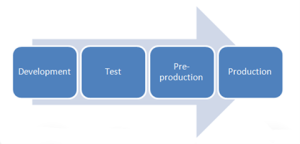
Non-production workloads e.g. Development, Test, QA, Staging, Functional, Pre-Production etc are equally important as the Production workloads , as they are key entities and instrumental to any Production workload success.

Ensuring that Pre-Production databases are comparable in performance with the Production databases is key in ensuring that any performance related issues are identified well ahead in the process before they make it to the Production environment. In addition, ensuring that there is adequate testing and validation ensures due diligence is done with any software release.

Key points to take away from this blog

This blog is the third blog in the series of evaluating VMware Cloud Flex Storage as a viable & comparable Storage option for Oracle non-production workloads.

The first blog Providing Performance and Storage savings using VMware Cloud Flex Storage for Oracle Archivelogs  was an exercise to evaluate the feasibility and showcase the advantages of using VMware Cloud Flex Storage for business-critical Oracle workloads on VMware Cloud on AWS as a viable & comparable Storage option for Oracle Archivelog files destination.

The second blog Providing Storage savings and Comparable performance using VMware Cloud Flex Storage for Oracle Backups was an exercise to evaluate VMware Cloud Flex Storage as a viable & comparable Storage option for Oracle backups destination

This blog is not meant to be a performance benchmarking-oriented blog in any way.  Remember, any performance data is a result of the combination of hardware configuration, software configuration, test methodology, test tool, and workload profile used in the testing, so the performance improvement I got with my workload in my lab is in no way representative of any real production workload which means the performance improvements for real world workloads will be better.

Continue reading
Posted in Oracle | Comments Off on Providing Storage savings and Comparable performance using VMware Cloud Flex Storage for Oracle Non Production workloads